

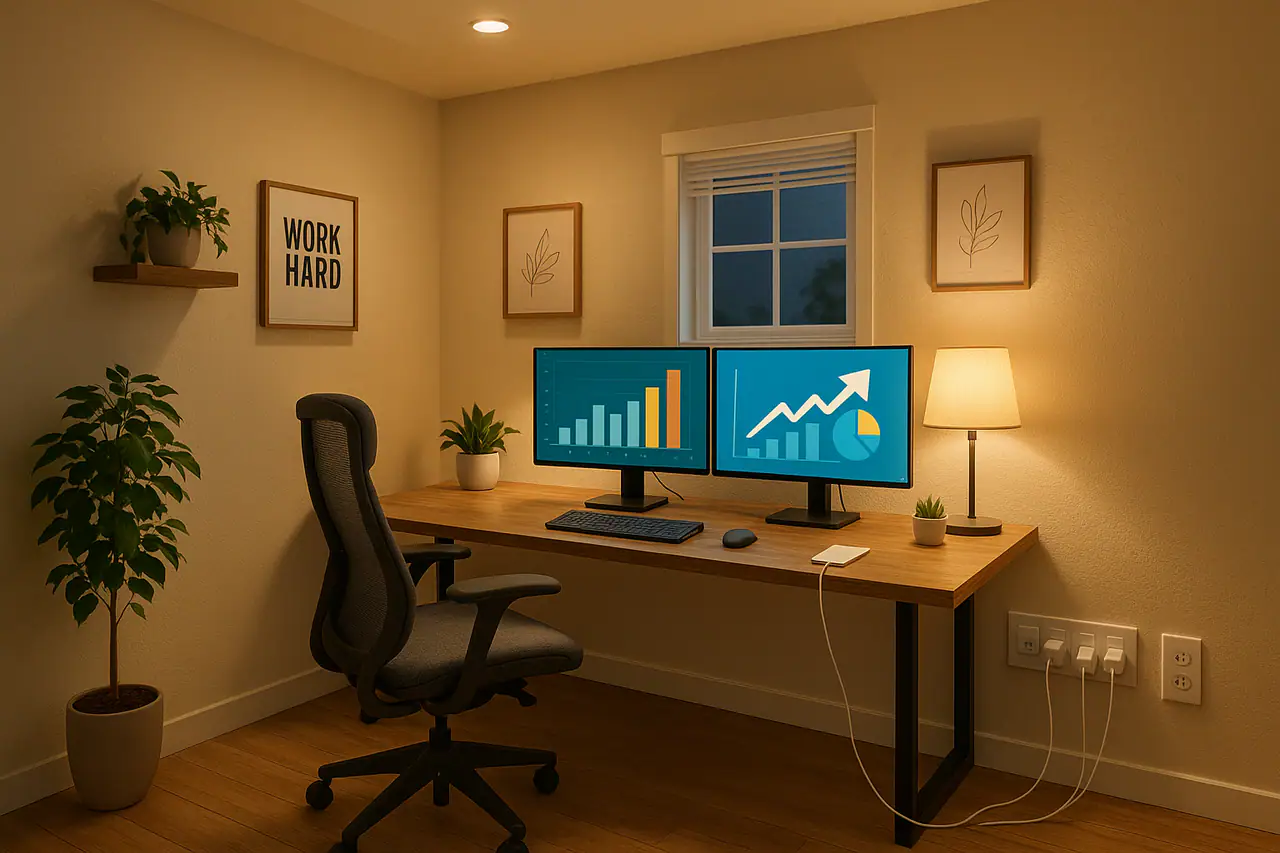
With more Granbury-area residents working from home or running small businesses from their houses, your home office isn’t just a spare corner anymore, it’s critical infrastructure. A stable, safe electrical setup reduces downtime, protects expensive equipment, and keeps your family safe. This guide walks you through the practical steps to design or upgrade a home office electrical system that’s reliable, code-compliant, and future-ready.
Why a dedicated approach to home office power matters
Most homes were built for basic loads: a few lamps, a TV, and some kitchen appliances. Modern home offices include multiple monitors, desktop PCs, network gear, printers, NAS devices, and chargers, all running for long stretches. That can overload a circuit or expose equipment to power events that cause data loss or hardware failure.
When you treat your home office like essential equipment rather than an afterthought, you reduce interruptions, protect data, and avoid nuisance breaker trips. If you’re in Hood County, Revamped Electric can perform an assessment to make sure your home is ready for the demands of remote work; see our services for details.
Key steps to create a reliable, safe home office electrical setup
1. Start with a professional electrical assessment
Before you buy gear or run cords, have a licensed electrician evaluate your panel capacity, circuit distribution, and grounding. An assessment will identify weak spots like overloaded circuits, shared kitchen/office circuits, or aging panels that need attention.
- Ask for a load calculation, this tells you if your panel can handle the additional continuous loads from an office.
- Look for signs of trouble: breaker trips when everything is running, dimming lights when a device starts, or warm outlets/panel covers.
- If your home is older or you plan to add intensive equipment (desktop workstation, EV charger in the garage, or HVAC upgrades), a panel upgrade or additional circuits may be required.
We regularly help homeowners through panel upgrades and load assessments, learn more about panel changes and what they involve.
2. Install dedicated circuits for critical equipment
Dedicate circuits for high-priority gear: desktop computers, home servers, network closets (modem/router/switch), and laser printers or other heavy-draw peripherals. Dedicated circuits reduce the risk that a neighbor or an unrelated appliance will cause a trip when you’re in the middle of an important call.
- Ideal setup: one dedicated circuit for your workstation(s) and one for network/telecom equipment. That keeps devices like your modem and router from going down if a heavy-load device causes a trip on the workstation circuit.
- For network closets, consider a 20A circuit and locate it within a few feet of the rack or shelf; shorter runs reduce cord clutter and heat buildup.
- We can help with circuit installation if you need new runs or upgraded breakers.
3. Modernize outlet placement and use the right receptacles
Outlet placement impacts both safety and productivity. Avoid long extension cords across walkways and instead plan outlet locations where you’ll actually put desks, printers, and chargers.
- Place dual-outlet banks behind desks at comfortable height, and add extra outlets near TV mounts or wall desks.
- Consider USB-integrated outlets for phones and tablets to avoid bulky adapters.
- For open-concept rooms, floor or pop-up outlets provide power without rerouting furniture.
If outlets are loose, warm, or have damaged faceplates, schedule an inspection, faulty outlets are a fire risk and reduce the reliability of your office setup. We handle outlet upgrades and relocations; see our outlet installation services.
4. Protect equipment with layered surge and backup strategies
Point-of-use surge protectors are useful, but they won’t fully protect sensitive electronics from bigger incoming surges like lightning strikes or utility-side switching events. A layered approach is best:
- Whole-home surge protection at the service panel to stop big external surges.
- High-quality point-of-use surge protectors for individual workstations and network equipment.
- UPS (uninterruptible power supply) for computers, NAS devices, and your modem/router, this provides short-term runtime to save files and gracefully shut down equipment during outages.
If you’re relying on cloud services or VOIP, put your modem and router on a UPS and keep them on a dedicated circuit where possible to preserve connectivity during brief outages. If you want help selecting or installing surge protection or UPS equipment, our team can advise on what works best for your home office and panel configuration.
5. Improve lighting and ergonomics without adding unnecessary load
Good lighting improves productivity and reduces eye strain. LED fixtures and dimmers deliver bright, comfortable light while using less power than older incandescent or fluorescent fixtures.
- Use layered lighting: ambient (overhead), task (desk lamp or under-cabinet), and accent lighting for video calls.
- Install dimmers or smart switches to tune lighting levels; many LED fixtures work with modern dimmers for smooth control.
- If you’re planning recessed lighting, security lights, or exterior work near your office, we handle professional lighting installation to keep circuits balanced and compliant.
6. Keep your network resilient and ready for growth
Network downtime is the top source of home office frustration. Position your router centrally (or hard-wire a switch to the workspace), use shielded cables in noisy electrical environments, and place critical network gear on a UPS.
- Run at least one dedicated Ethernet drop to your office instead of relying solely on Wi‑Fi when possible.
- Label circuits and network drops so future troubleshooting is fast and precise.
- If you plan to scale, multiple remote workers, a home studio, or a small e-commerce operation, talk to an electrician about pre-wiring for future circuits and a panel capacity plan.
Actionable checklist: What to do this weekend
- Unplug nonessential devices and map which outlets and breakers they’re on, label them.
- Check outlets for looseness, scorch marks, or heat. Any of those are reasons to call a pro.
- Put your modem/router and one computer on a UPS; test that they stay on during a short outage.
- Plan outlet locations for your desk and mark them on a floor plan or photo of your room.
- If you experience frequent trips or dimming lights, schedule an electrical assessment.
Conclusion, invest a little now to avoid big interruptions later
Designing a safe, reliable home office electrical setup protects your work, your equipment, and your home. Small investments, a dedicated circuit, a UPS for network gear, or an extra outlet placed in the right spot, deliver outsized peace of mind and productivity gains.
If you’d like a free consultation or on-site assessment in Granbury or surrounding communities, our veteran-owned team at Revamped Electric can help. We provide load calculations, circuit installations, outlet relocations, panel upgrades, and lighting work tailored to home offices. Schedule an evaluation through our contact page or review our full list of services. Keep your home office powered, protected, and productive, we’ll handle the rest.
Call to action: Ready to upgrade your home office electrical setup? Click to schedule an assessment or request a quote through our contact page and we’ll get back to you quickly to walk through your options.